
After reading the challenge description, my first logical step was to open the file (Documentation Index
Fetch the complete documentation index at: https://docs.jaspervanzeir.be/llms.txt
Use this file to discover all available pages before exploring further.
interception.wav) in an audio editor. I chose Audacity, as it’s the perfect tool to inspect frequencies and the audio spectrum. I started by simply listening to the audio fragment. At first glance, there was nothing weird or suspicious about the voice recording itself (apart from the Russian guy threatening me).
Enumeration & Analysis
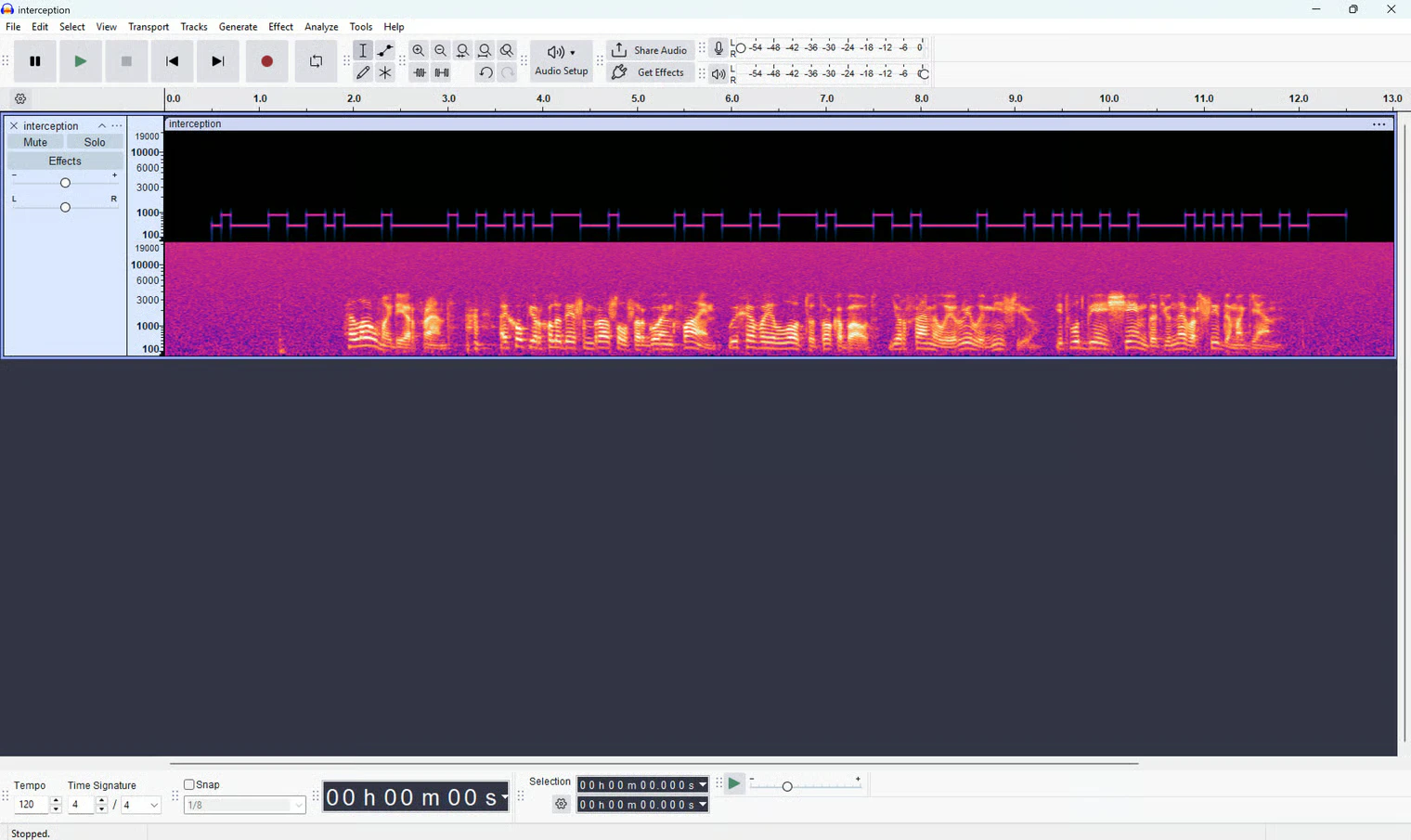
Since the standard audio playback didn’t reveal anything, I decided to switch the view in Audacity to the Spectrogram. This visualizes the frequencies of the audio over time, which is a classic way to uncover hidden signals in these types of CTF challenges.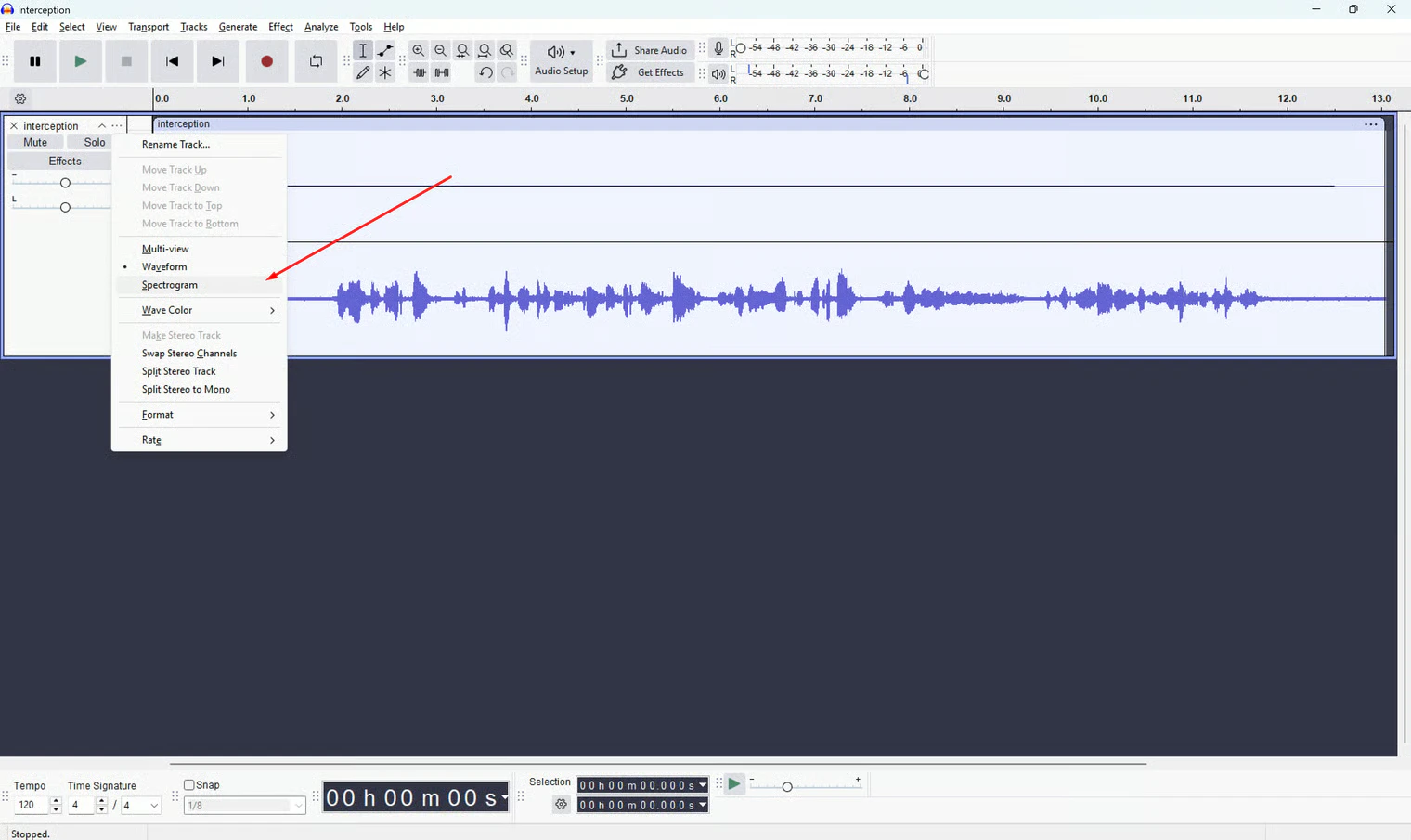
Decoding the Puzzle
It was obvious that this top, blocky pattern was the key. I looked at it closely, and my very first thought was:This has to be Morse code.I could clearly see short visual pulses followed by long ones, and vice versa. I tried to manually translate the pattern into dots and dashes, but I didn’t get far. I couldn’t make a consistent distinction between what was truly “long” and what was “short”, there were simply too many variations in between. Morse code was a dead end.
The Breakthrough: Binary Frequencies (FSK)
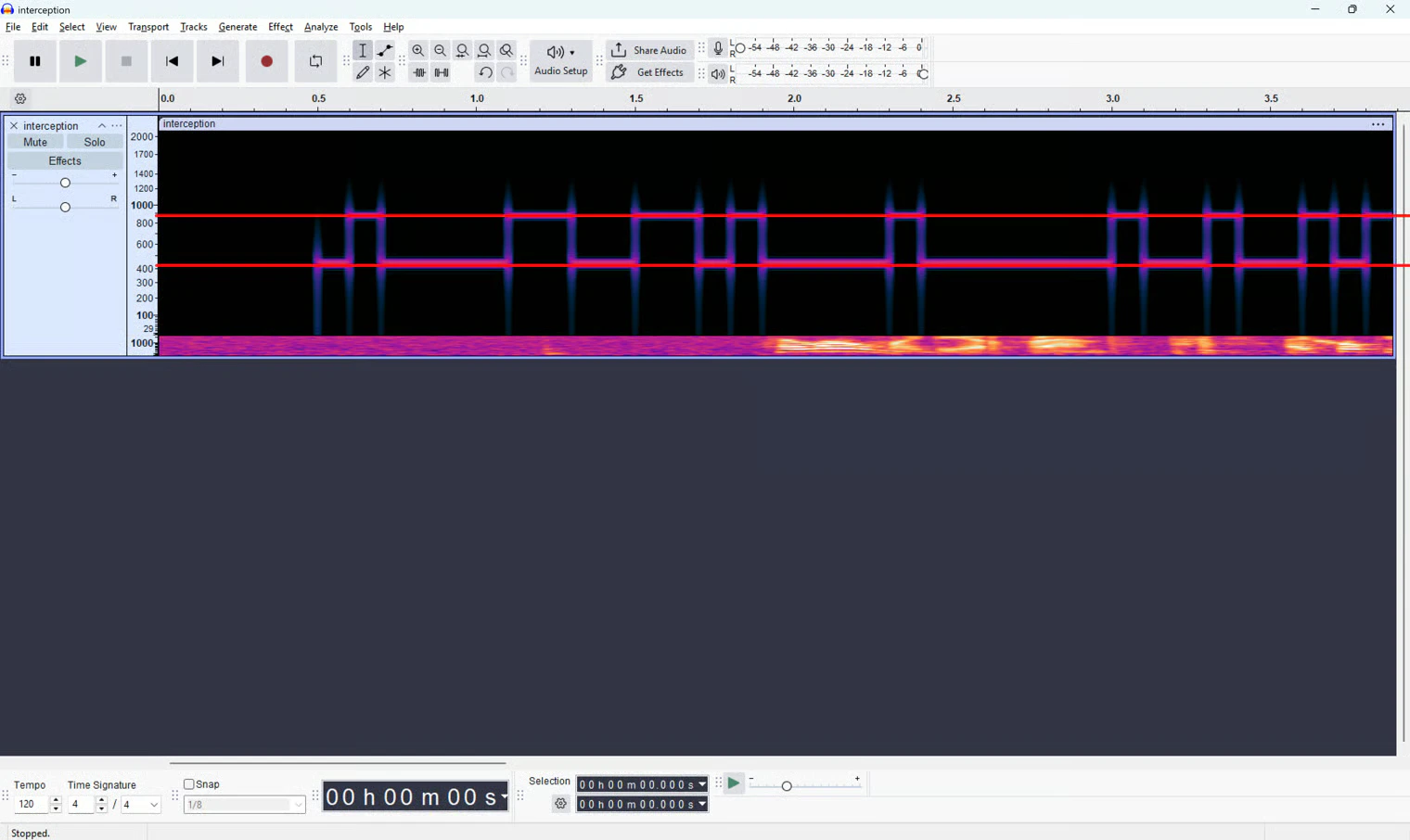
I took a step back and looked at the structure of the blocks again. Then it hit me: instead of focusing on the length of the pulses (like Morse), I needed to focus on the height of the frequencies. I noticed the signal was essentially just bouncing back and forth between exactly two levels:- A lower frequency at around 450Hz (which could represent a binary
0). - A higher frequency at around 900Hz (which could represent a binary
1).
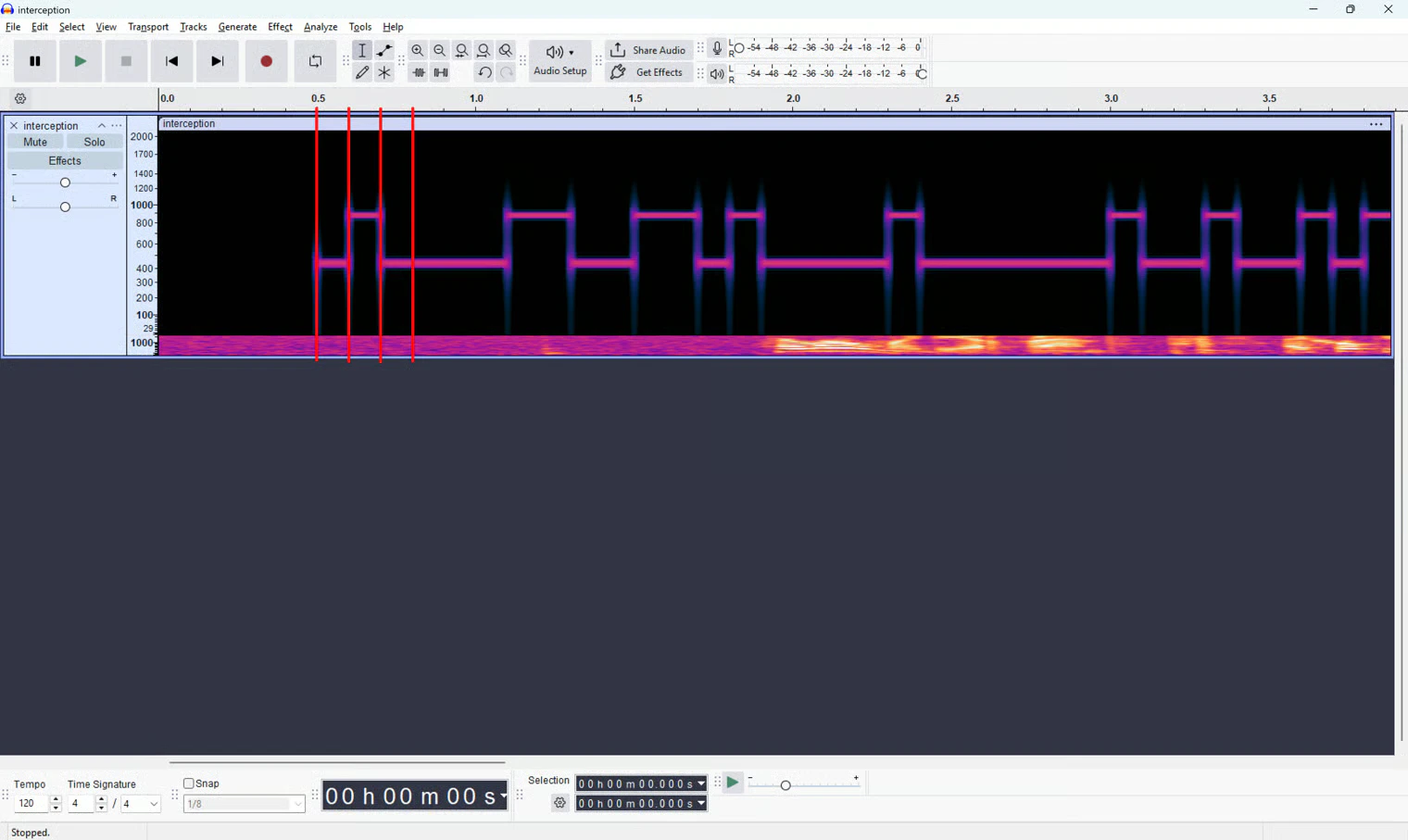
0, followed by a jump to 900Hz for the next 100ms (a 1). After that, the line stayed at 450Hz for 400ms, resulting in four zeros (0000).
I systematically worked through the entire 13.040-second audio file, logging the state every 100ms. This gave me the following complete binary sequence:
Extracting the Message
With a clean binary sequence in hand, it was time to decode it. I copied the sequence, opened CyberChef in my browser, and pasted it into the Input box. Because I wanted to see what it would decode to quickly, I used the Magic recipe. This is an incredibly useful feature in CyberChef that automatically detects and applies the most likely decoding operations (like Binary to ASCII).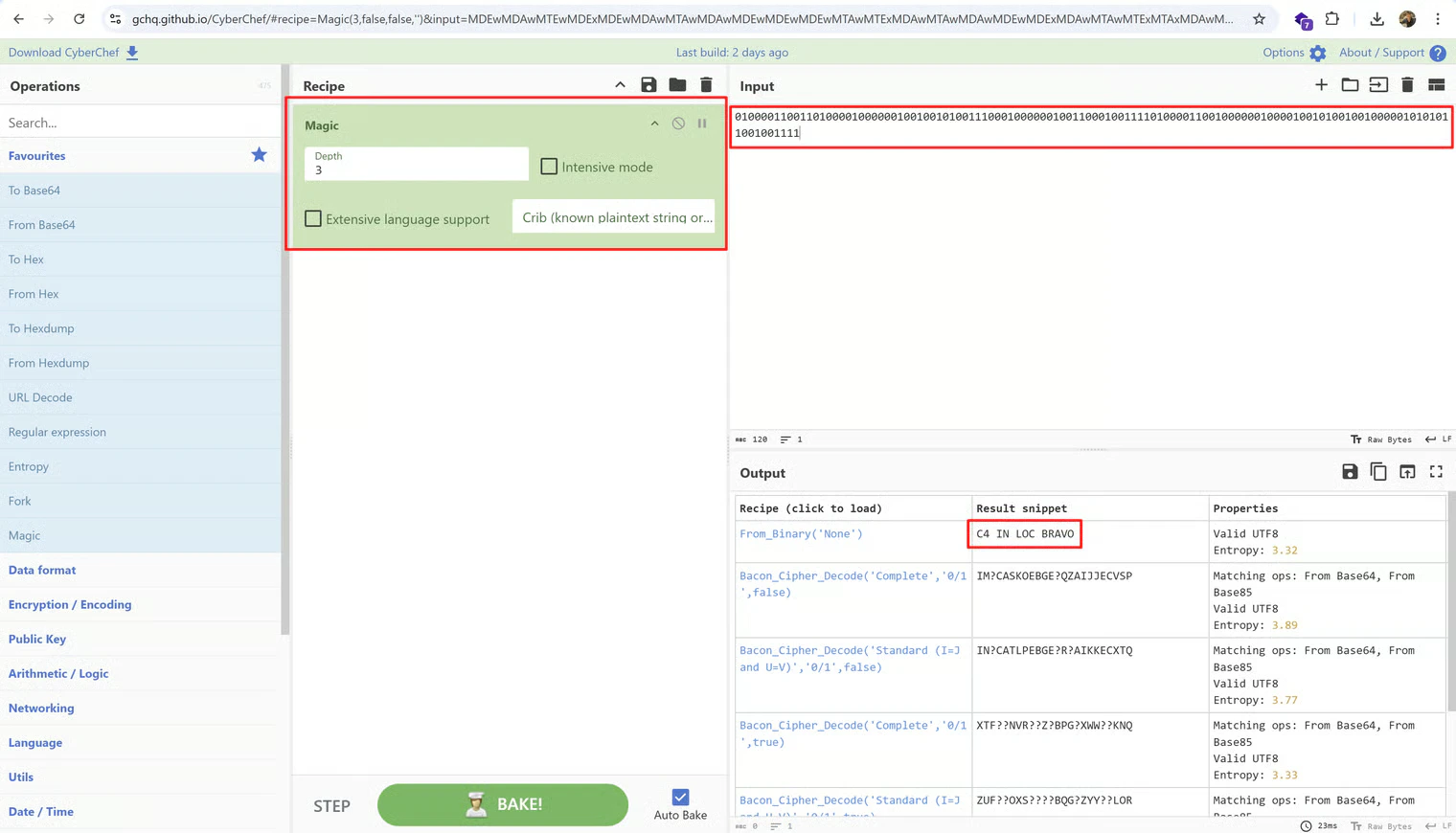
C4 IN LOC BRAVO
Given the expected flag format mentioned in the briefing (CySS{hidden message}), I wrapped the text, submitted it, and solved the challenge!
Flag: CySS{C4 IN LOC BRAVO}
Tools Used
- Audacity: Used the Spectrogram view for visual analysis of the audio spectrum and measuring frequency heights and time intervals.
- CyberChef: Specifically used the “Magic” recipe to quickly translate the manually extracted binary string into readable ASCII text.
Summary
- Key Steps: I analyzed a seemingly normal audio file using a spectrogram, discovered a hidden data channel on specific frequencies, and manually extracted a binary string by logging the frequency shifts every 100ms. I then decoded this data via CyberChef to reveal the flag.
- What I Learned: This was an excellent introduction to Frequency Shift Keying (FSK) style modulation in audio steganography. Visualizing audio can expose hidden data layers that are completely undetectable to the human ear.
- Crucial Mistakes/Takeaways: My initial instinct to immediately assume Morse code cost me some time. This was a valuable lesson: if a theory (like Morse) feels messy or inconsistent when applied, it’s crucial to take a step back and look for other patterns (like high/low frequencies and fixed time intervals) in the raw data.